Thermal Flight Configuration - DJI
The parameters below are the default configuration. When the project specification issued by STR Drones for a specific client or site sets different values (overlap, GSD, speed, missions or deliverables), the project specification prevails over this manual.
Default flight parameters
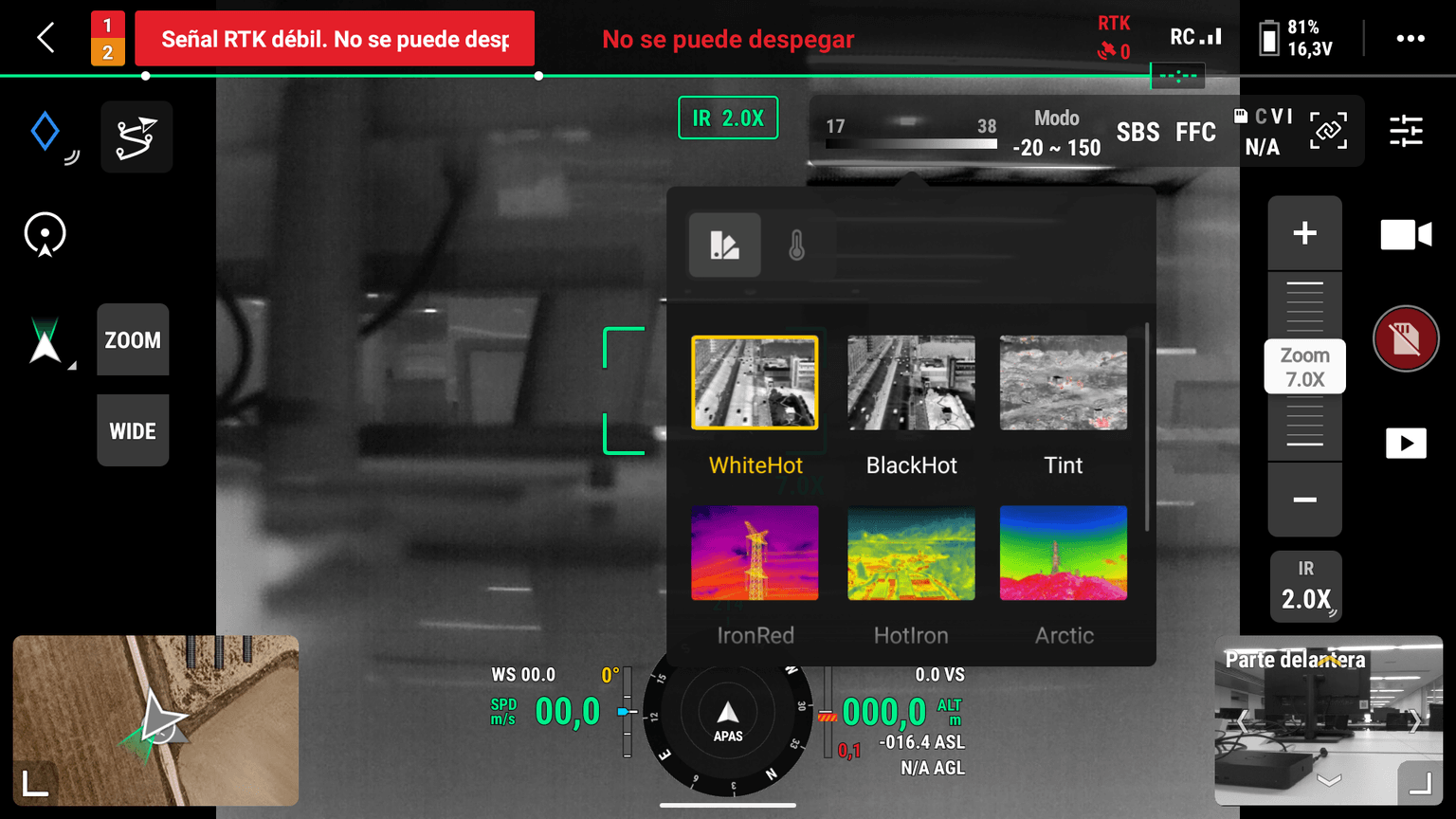
- Thermal image palette: White-Hot (*) Figure 10 and 11
- Minimum frontal overlap: 70% (*) Figure 3
- Minimum side overlap: 60% (*) Figure 3
- Altitude: Based on the desired GSD and the lens parameters. (*) Figure 2
- UAS rotation: The front of the drone must point toward the panel (opposite to the direction the panels face), and the same yaw must be kept for the whole plant. The camera must always point straight down (gimbal -90º). (*) Figures 4, 5, 6 and 7
- Single-axis tracker: yaw 270º (nose to the WEST, panels facing EAST) if most of the mission is flown before local solar noon, or yaw 90º (nose to the EAST, panels facing WEST) if most of it is flown after local solar noon. Before the flight, the pilot must check the local solar noon time for the plant location. The same yaw is kept for the whole plant.
- Fixed structure: yaw 0º -> nose to the NORTH (panels facing SOUTH), always.
- UAS heading angle (flight route direction): The flight lines must run in the same direction as the panel rows, but they do not need to coincide exactly with the vertical of each row. (*) Figures 8 and 9
- Fixed structure: East–West sweep (heading angle 90º).
- Single-axis tracker: North–South sweep (heading angle 180º).
- Roof: along the long axis of the roof.
- Maximum speed during data capture, depending on the GSD: (*) Figures 8 and 9
- GSD 3 cm/px: maximum 3 m/s.
- GSD 5 cm/px: 7 m/s.
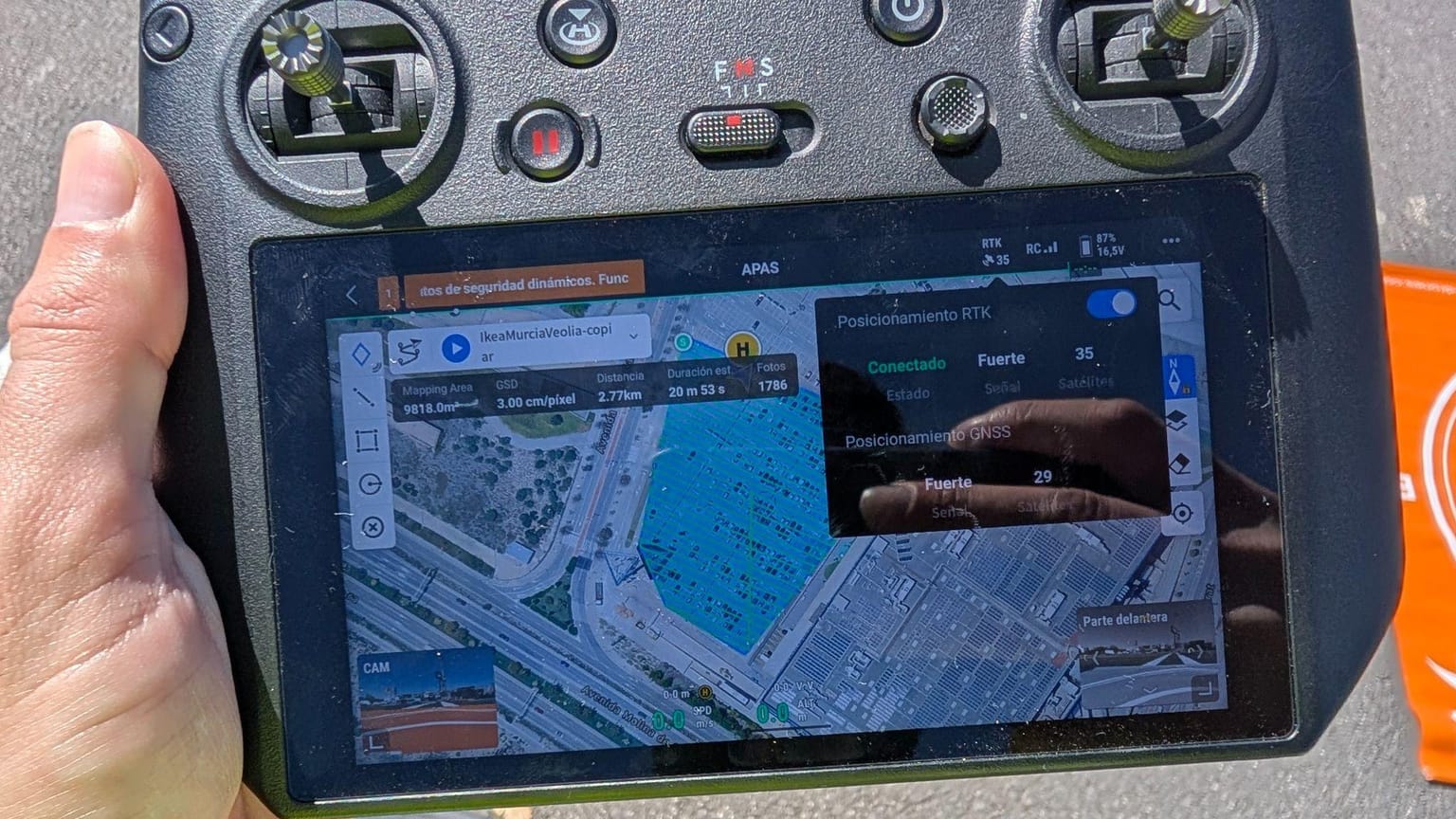
- RTK module: RTK module connected + “RTK Positioning” enabled + signal from >15 satellites.
- Important: When an RTK correction network (NTRIP) is used, the RTK module only connects if the remote controller (the handheld controller used by the pilot to fly the drone) has an internet connection, through mobile data or Wi-Fi. Without internet the RTK does not connect, and DJI Pilot does not show any message explaining why. Check the internet connection of the remote controller before starting the mission.
- Equipment: DJI Mavic 3T or a DJI aircraft with similar or higher specifications, with a thermal camera of at least 640×512 px and simultaneous thermal + RGB capture (IR + Wide). An RTK module is mandatory. If the operator has similar equipment from other manufacturers, it must consult the STR Drones technical team before using it. (*) Figure 1
- Irradiance: The minimum irradiance depends on the analysis requested by the client:
- Analysis compliant with IEC TS 62446-3: above 600 W/m², measured in the plane of the modules (plane of array).
- Other analyses: above 300 W/m², measured in the horizontal plane. This is the minimum feasibility limit to operate; the horizontal plane is used because it is the more restrictive measurement.
- Data source: irradiance data from the nearest weather station available in Open-Meteo. If needed, the operator can check both the irradiance forecast and the real-time irradiance (updated every 15 minutes) in the STR Maps application.
- Mapping area: The flight is an area survey covering only the PV modules of the plant. The mapping area margin must be set to 0 m. (*) Figure 3
- Mission planning: Each mission must not exceed 5,000 images (5,000 thermal and 5,000 RGB). DJI Pilot shows the estimated number of photos when the mission is planned (Figure 12); this figure counts shots (capture positions), and each shot produces one thermal and one RGB image, so the value shown must not exceed 5,000. Plants that exceed this limit must be split into as many missions as needed. As a rough guide, at a GSD of 5 cm/px, 5,000 images correspond to about 25 MWp, but the limit is always set by the number of images, not by the power of the plant. Missions are named consecutively with letters: Mission A, Mission B, Mission C, etc.
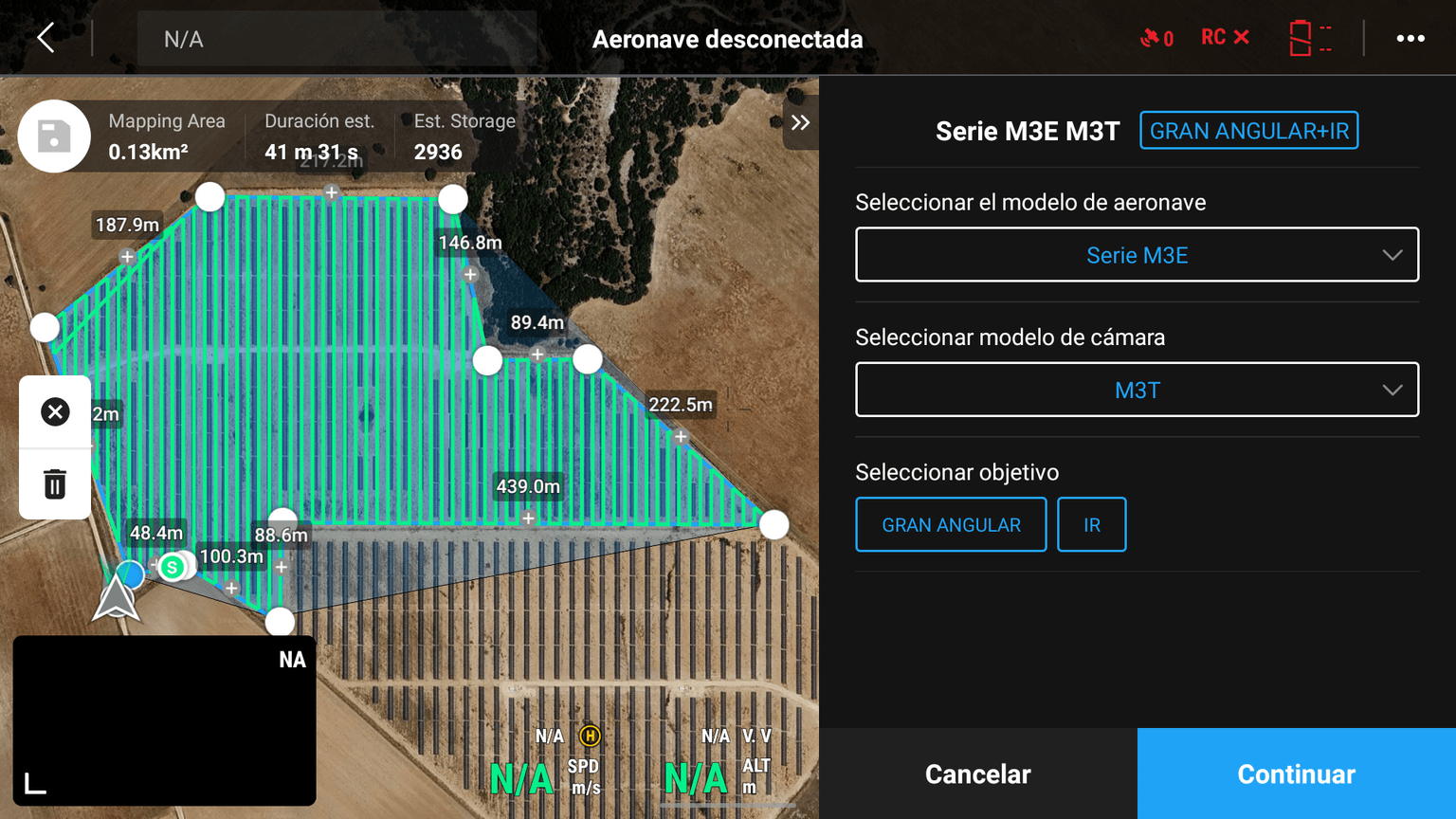
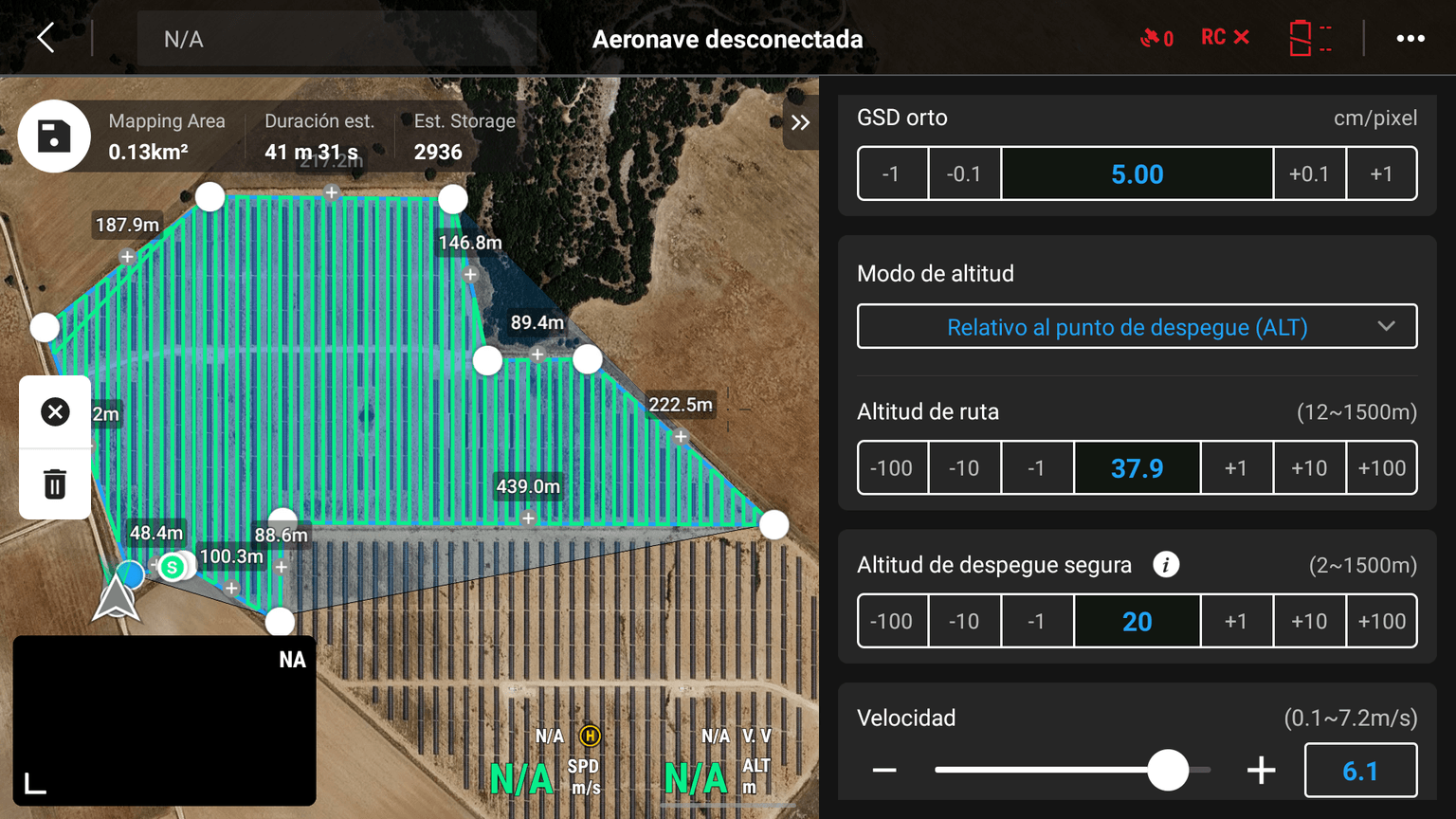
Note: This screenshot shows the DJI Pilot interface where the GSD, altitude and speed are set, but the speed shown is not correct (6.1 m/s at a GSD of 5 cm/px). Use the values indicated in point g: 3 m/s at 3 cm/px, 7 m/s at 5 cm/px.
Overlap configuration
The overlap configuration enables the generation of a thermal orthophoto (see Figure 3).
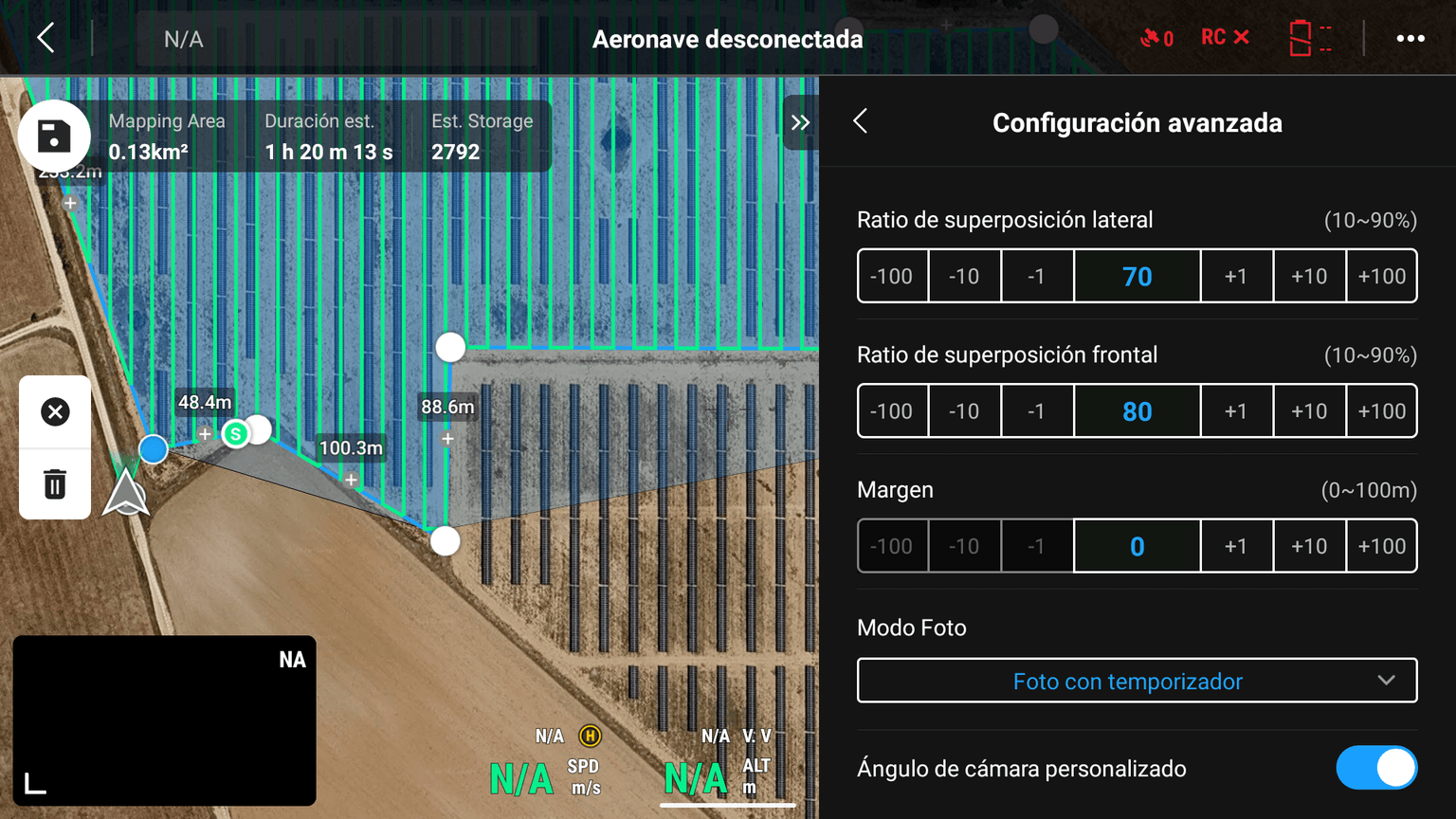
Note: This screenshot shows the DJI Pilot interface where the overlap is set, but the values shown are not correct (70% side / 80% frontal). Use the values indicated in points b and c: 70% frontal / 60% side.
Camera orientation
The camera angle configuration enables the capture of thermal images so that the model inference is optimal (Yaw/Aircraft Rotation), and for reconstructing the thermal orthophoto (Camera Angle/Gimbal Rotation) Figures 4, 5, 6 and 7.
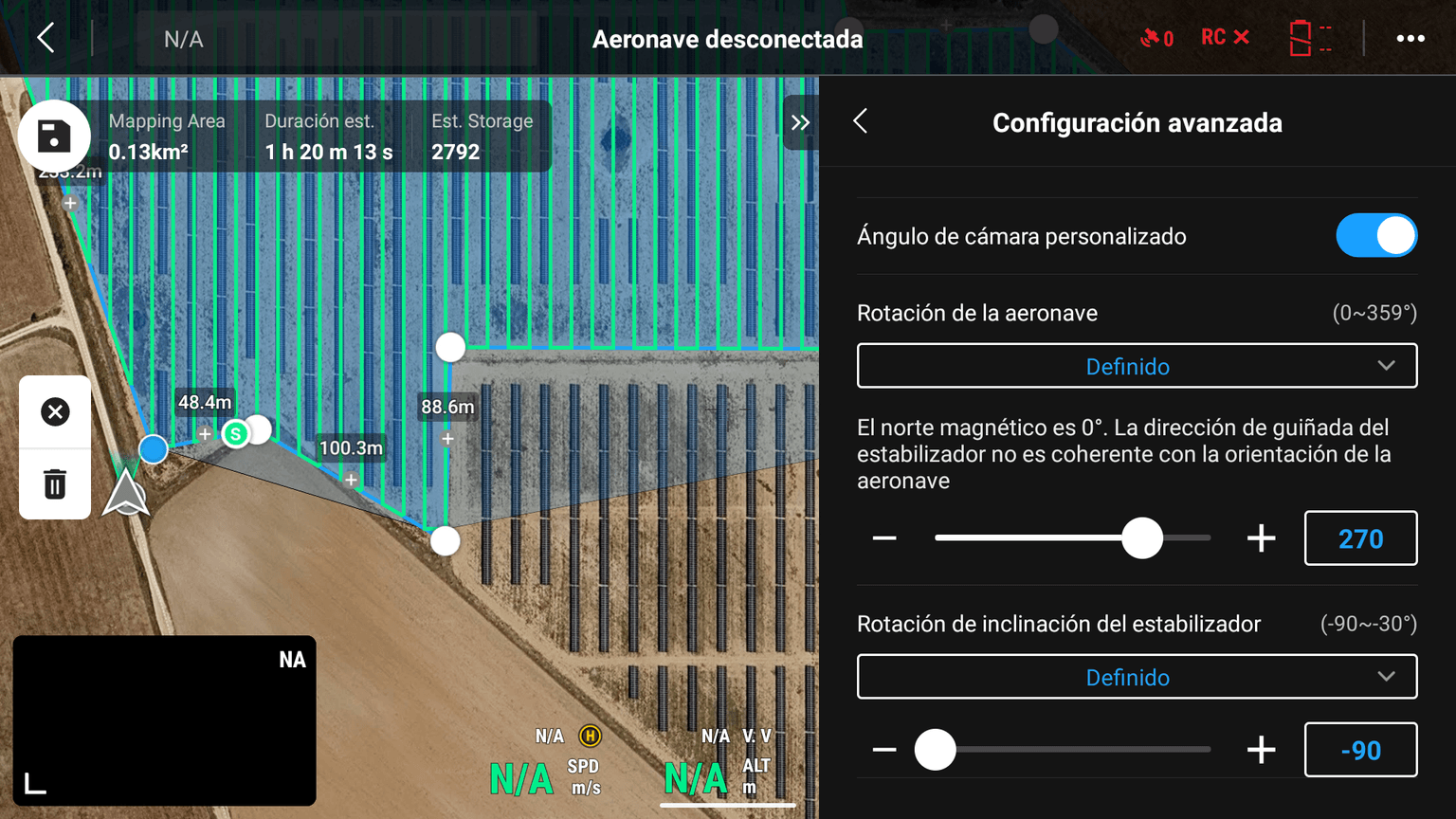
Depending on the type of project (N-S Tracker, Fixed, East-West Roof), it is recommended to capture images with the following Yaw (or Aircraft Rotation) and Camera Angle (or Gimbal Rotation) parameters:
- Yaw (Aircraft Rotation): the direction the nose of the drone points to, measured clockwise from north: 0º = North, 90º = East, 180º = South, 270º = West. It sets the orientation of the images, so it must be the same for the whole plant.
- Camera Angle (Gimbal Rotation): the tilt of the camera. -90º means the camera points straight down (nadir), which is always used for data capture; 0º would point to the horizon.
In all cases the nose of the drone points towards the face of the panels, that is, opposite to the direction the panels face:
| Project / mission | Panels facing | Yaw | Drone nose to | Camera angle | Figure |
|---|---|---|---|---|---|
| Single-axis tracker, mission mostly before local solar noon | EAST | 270º | WEST | -90º (nadir) | Figure 5 |
| Single-axis tracker, mission mostly after local solar noon | WEST | 90º | EAST | -90º (nadir) | Figure 6 |
| Fixed structure | SOUTH | 0º | NORTH | -90º (nadir) | Figure 7 |
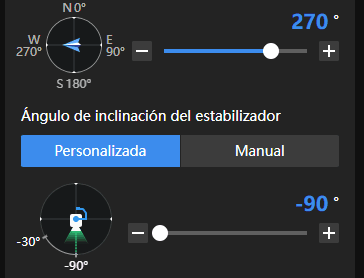
Mission mostly flown before local solar noon (checked by the pilot for each site): yaw 270º, nose to the WEST, panels facing EAST.
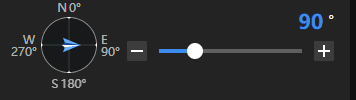
Mission mostly flown after local solar noon (checked by the pilot for each site): yaw 90º, nose to the EAST, panels facing WEST.
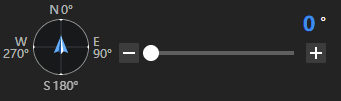
ALWAYS: yaw 0º, nose to the NORTH, panels facing SOUTH.
Flight route and speed
The aircraft heading angle configuration must be selected based on the type of project. The flight lines follow the direction of the panel rows, but they do not need to coincide exactly with each row:
- Single-axis tracker projects: 180º (North–South sweep).
- Fixed structure projects: 90º (East–West sweep).
- Roof projects: along the long axis of the roof.
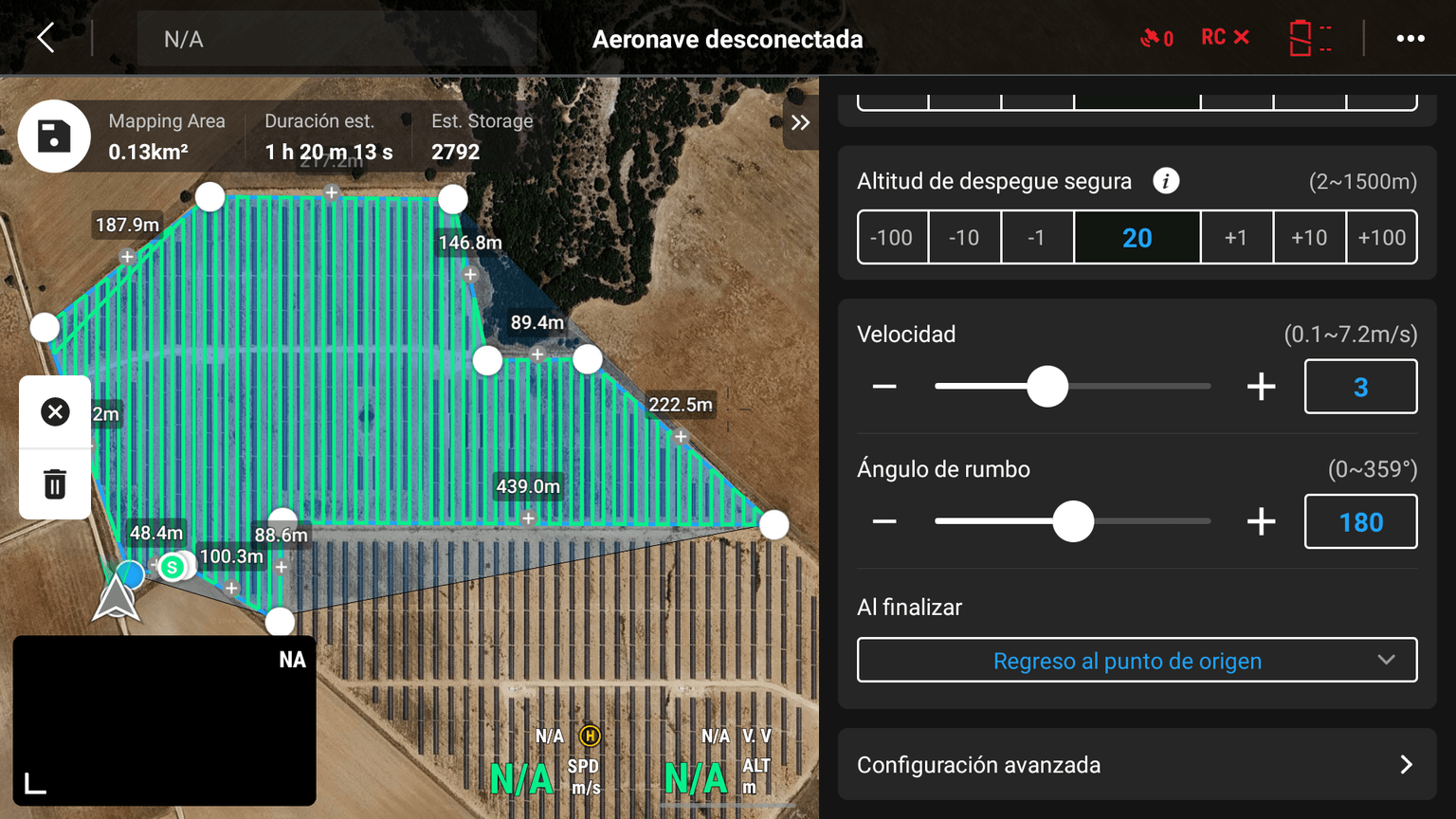
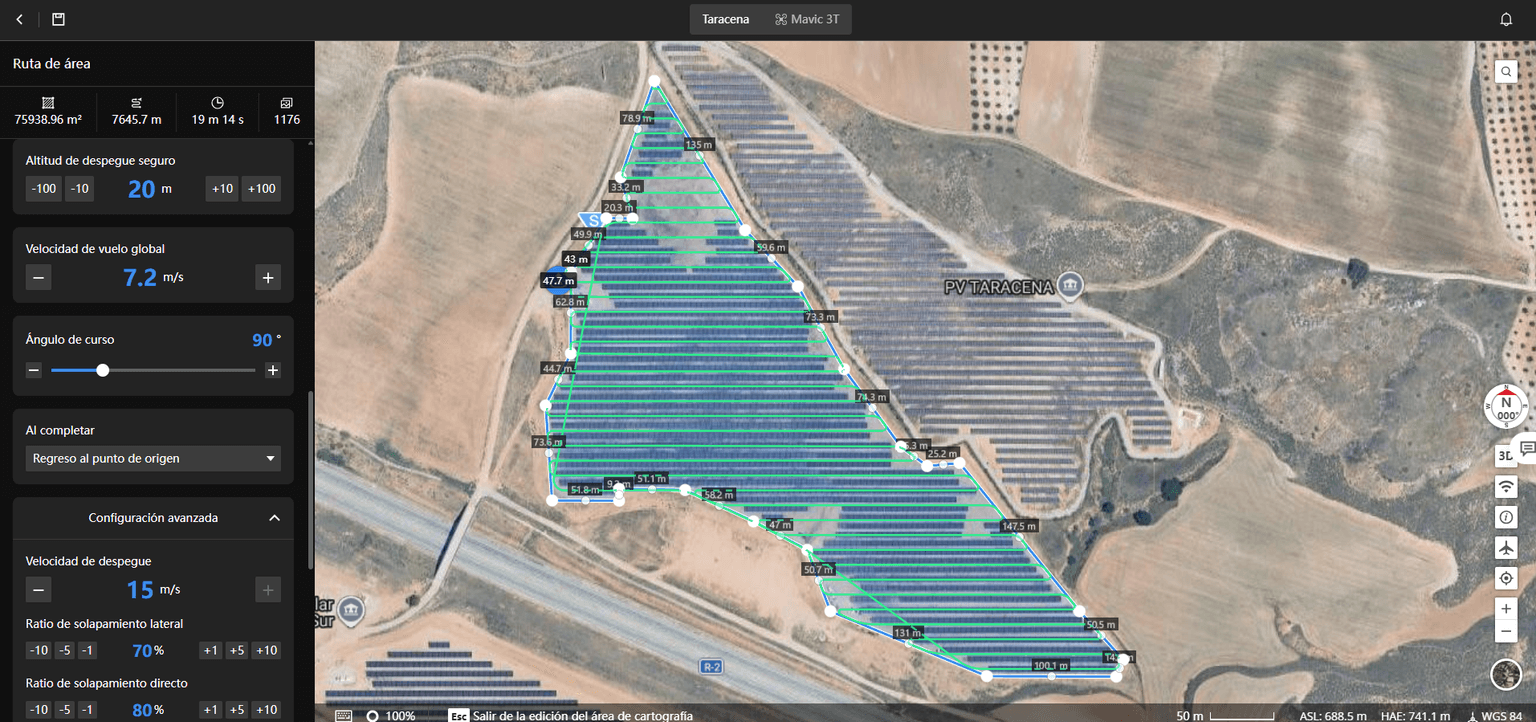
Note: This screenshot shows the DJI Pilot interface where the speed, heading angle and overlap are set, but the speed and overlap shown are not correct (7.2 m/s, 70% side / 80% frontal). Use the values indicated in points b, c and g: 70% frontal / 60% side; 3 m/s at 3 cm/px, 7 m/s at 5 cm/px.
Thermal camera palette
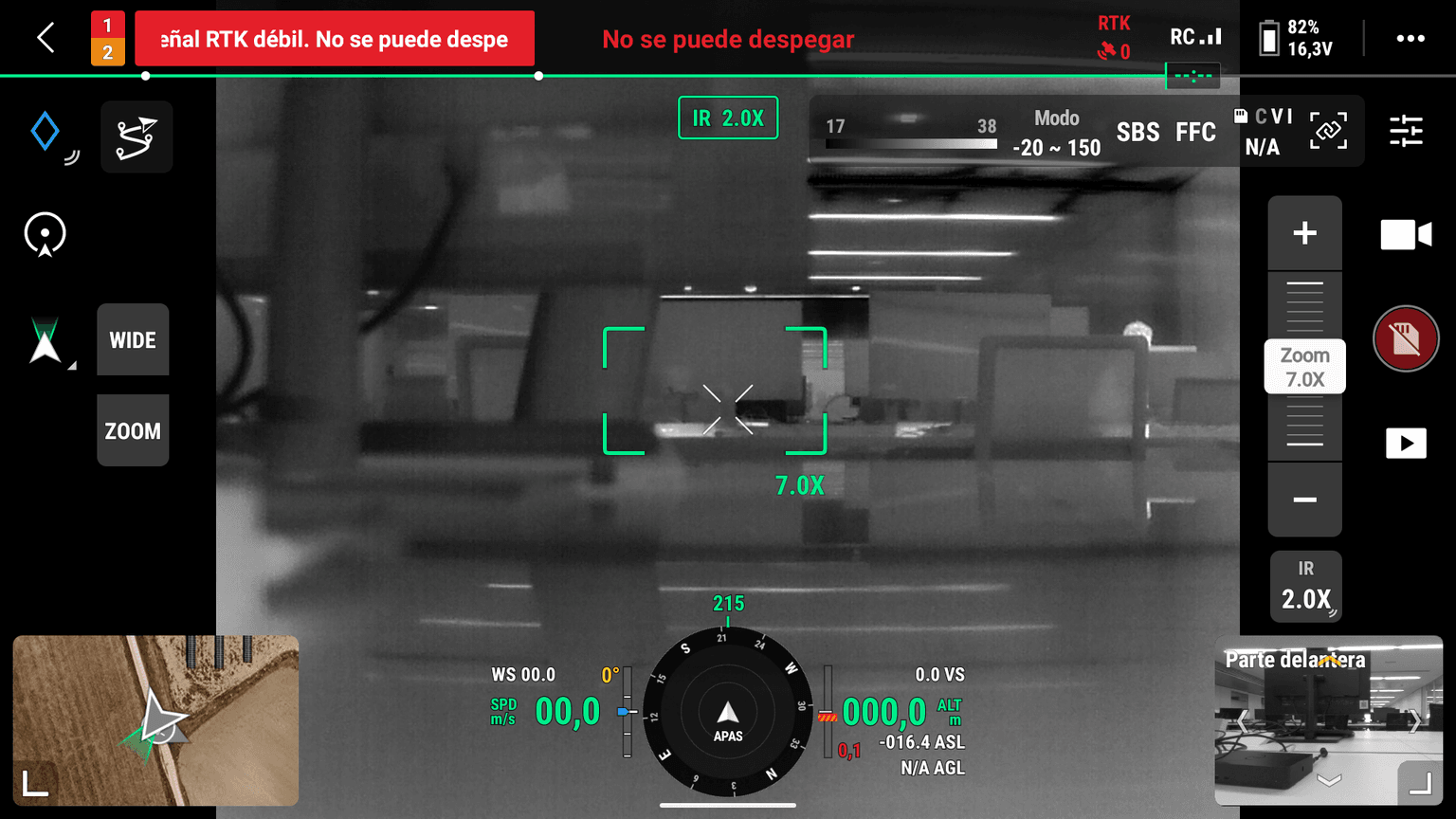
The thermal camera and color palette configuration must always be White-Hot. This allows more accurate inference through the application. It must always be the same, regardless of the type of project:
- Tracker projects: White-Hot.
- Fixed structure projects: White-Hot.
- Roof projects: White-Hot.
Final flight checks and RTK
Finally, we check that the flight parameters are correct and match what was initially stated in the parameter list at the beginning of this document.
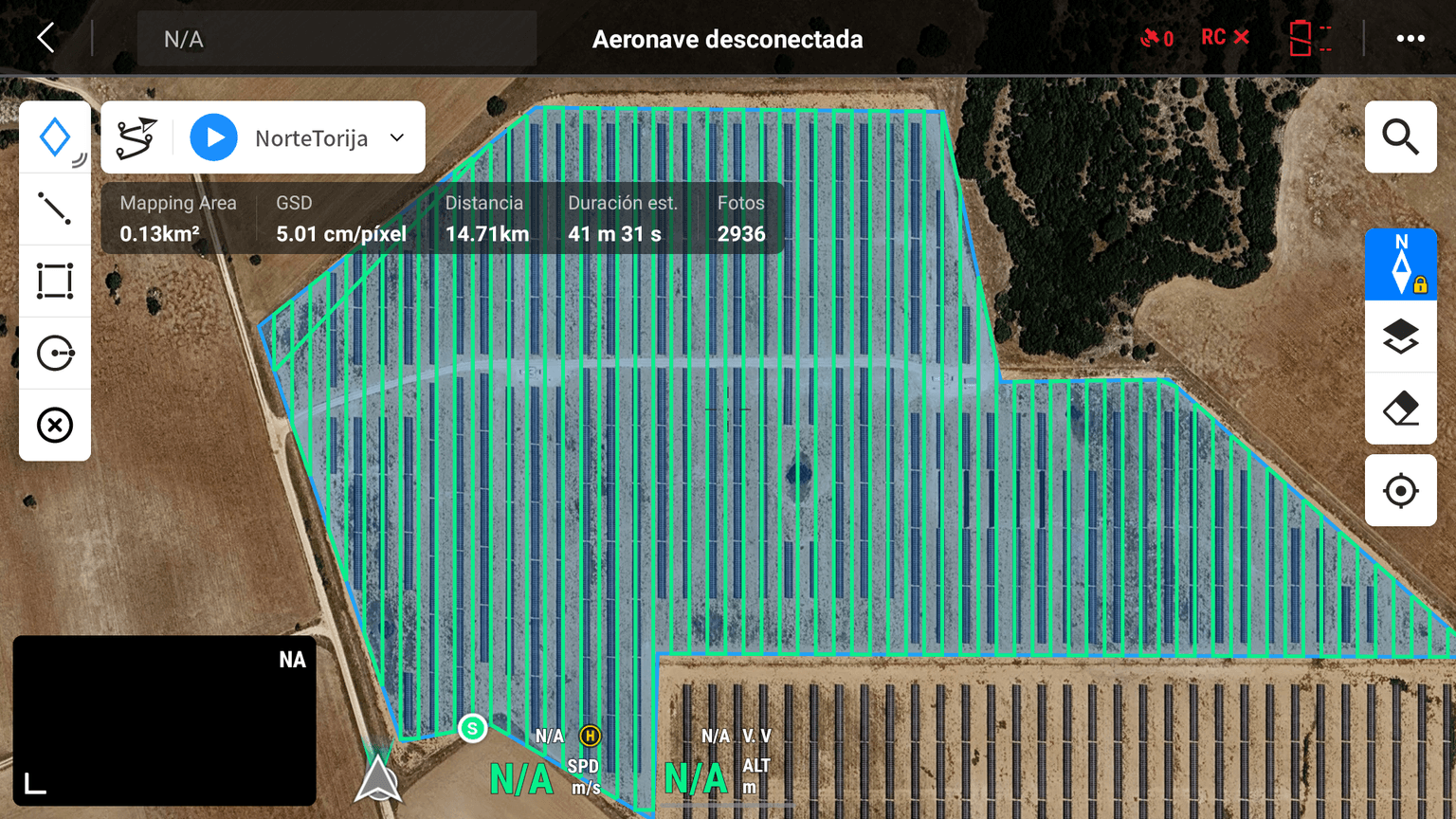
Note: A good internet connection is recommended to allow the RTK Positioning to converge correctly. The IGN's RTK network is free and can be used by all UAS operators for improved position accuracy, but it only covers Spain. In other countries, each operator must obtain access to an RTK/NTRIP correction network operating in that territory, either public (such as the IGN network in Spain) or private, or use its own RTK base station.

Oblique images
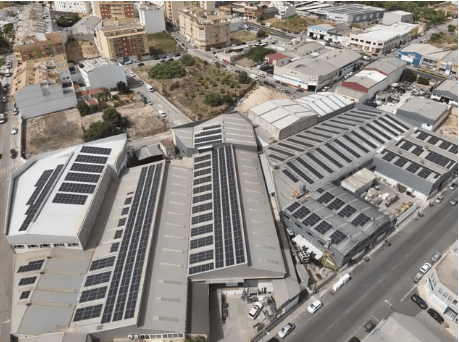
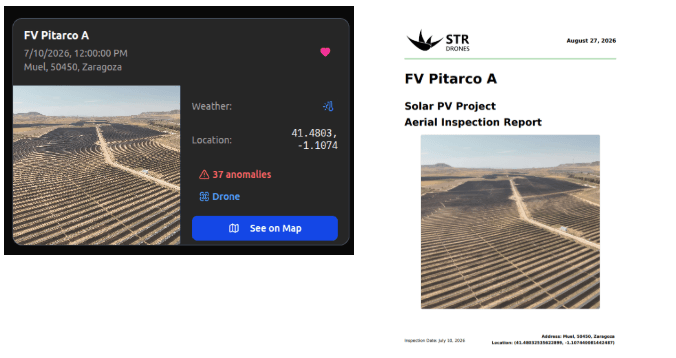
In addition to taking images, the pilot must take an “Oblique (RGB/Thermal)” photo at a higher altitude (the highest possible given the limitations of each project and never exceeding operational limits) in which the project can be clearly seen.
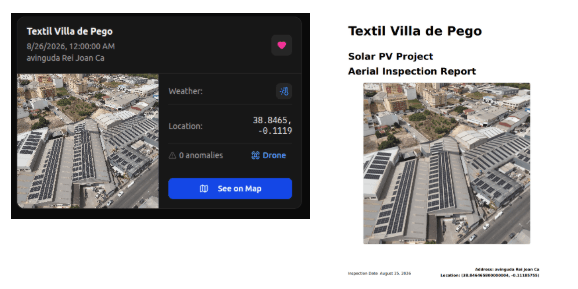
This image will serve as the cover of the report. Several examples of this type of shot are attached, depending on the type of project.
Roof Project:
This image will appear as the cover on the “STR Maps” portal.
Utility Project:
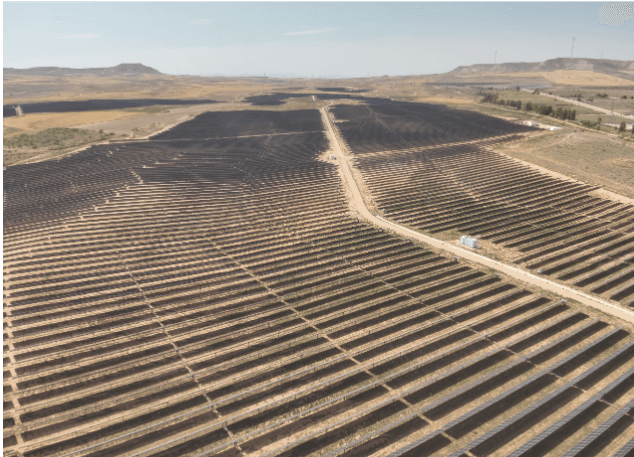
This image will appear as the cover on the “STR Maps” portal.
Deliverables
The pilot must deliver the following for each plant:
- Raw thermal and RGB images, organised in one folder per mission (Mission A, Mission B, etc.).
- Within each mission, subfolders containing no more than 1,000 thermal and 1,000 RGB images each, captured consecutively and kept in capture order.
- One map screenshot per mission showing the area flown.
- Original image metadata intact, with RTK positioning.